Git Worktree Support — Branch Without Leaving Your Session
SessionCast now detects your git context and lets you spin up a new worktree directly from the web terminal.
How It Works
When a session is inside a git repository, SessionCast automatically picks up the branch name and repo. A new footer bar appears below the terminal with your current git info and a + Worktree button.
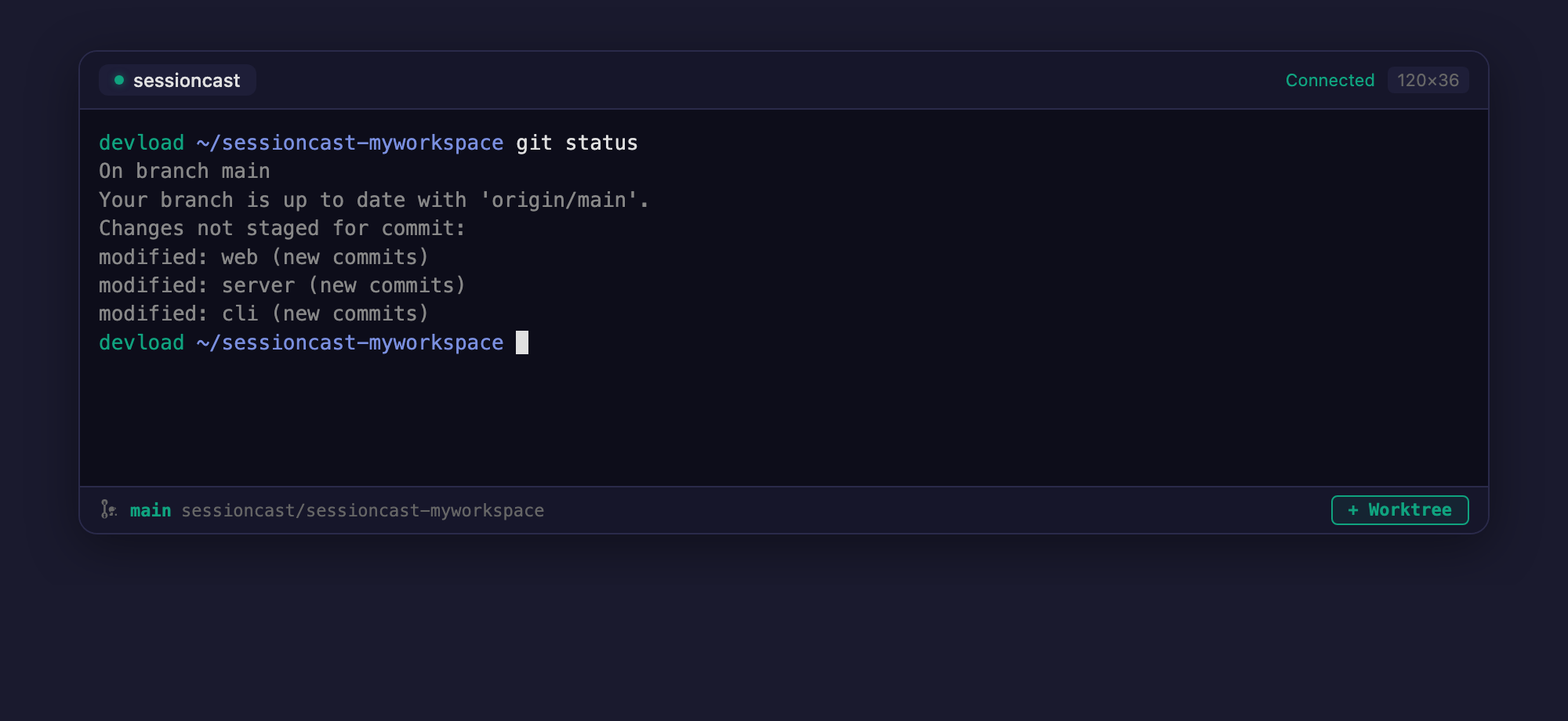
Click the button, type a branch name, and press Enter. SessionCast will:
- Run
git worktree addin the session's current directory - Create a new tmux session at the worktree path
- The new session appears automatically in your sidebar
No need to SSH in, open another tab, or run manual git commands — just click and branch.
What You See
- Branch name — the current branch of the session (e.g.
main) - Repository — the GitHub repo (e.g.
sessioncast/web) - + Worktree — creates a new worktree + tmux session in one click
The footer bar only appears for sessions running inside a git repository. Non-git sessions look the same as before.
Requirements
- CLI Agent
v2.2.0or later - The session must be inside a git repository